
 By
By
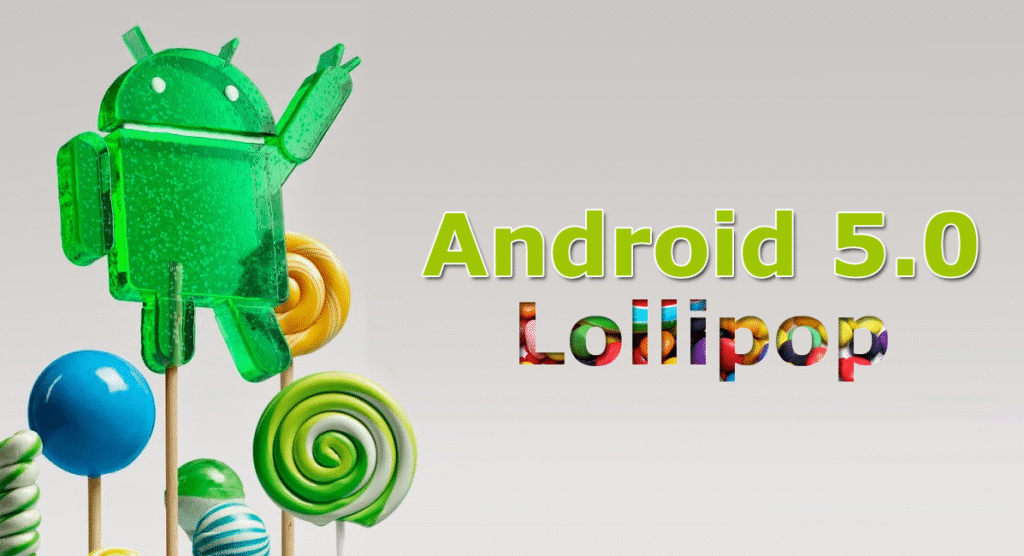
Android 5.0 Lollipop marked a major transformation in the Android ecosystem. Introduced by Google in late 2014, it brought the modern Material Design interface, faster performance, and better battery efficiency. While it was initially designed for smartphones and tablets, users can now download and install Android 5.0 Lollipop on PC to enjoy the same Android experience directly on their computers.
Whether you’re a developer, gamer, or tech enthusiast, installing Android 5.0 on your PC gives you access to apps, games, and customization features that feel exactly like using an Android device.
What Is Android 5.0 Lollipop?
Android 5.0, also known as Lollipop, is the fifth major release of the Android operating system. It introduced a fresh and colorful Material Design interface, a smoother performance engine, and better support for multiple devices.
Google focused heavily on design fluidity, performance stability, and security, making Lollipop one of the most important milestones in Android’s history.
When you download Android 5.0 Lollipop for PC, you’re essentially installing a version of the Android OS that runs within your computer — either through an emulator or a direct installation via Android-x86 builds.
Top Features of Android 5.0 Lollipop
Here are some of the standout features that made Android Lollipop special:
-
Material Design UI – A modern and colorful interface with smooth animations and layered effects.
-
Better Battery Performance – The new Project Volta helps manage battery usage intelligently.
-
Enhanced Notifications – Notifications now appear on the lock screen and can be managed easily.
-
Improved Multitasking – The new Overview screen shows apps in a card-style format for quick switching.
-
Security Enhancements – Device encryption and Smart Lock were introduced for better safety.
-
ART Runtime – Replaced Dalvik, resulting in faster app loading and smoother operation.
-
Support for 64-bit CPUs – Improved performance and memory management on modern processors.
Why Install Android 5.0 on PC?
Running Android 5.0 Lollipop on a PC offers several advantages:
-
Use Android apps and games on a larger screen.
-
Develop and test apps directly from your computer.
-
Faster performance compared to older emulators.
-
Lightweight and responsive OS for older PCs.
-
Access Google Play Store and enjoy the full Android ecosystem.
It’s also an excellent way to repurpose old laptops into functional Android machines.
How to Download Android 5.0 Lollipop for PC
There are two main ways to get Android 5.0 Lollipop running on your PC:
Option 1: Using Android-x86 ISO (Direct Installation)
The Android-x86 Project offers official ISO files that allow you to install Android directly on your computer.
Steps:
-
Visit the official Android-x86 website (search: Android-x86 Lollipop ISO download).
-
Download the Android 5.0 Lollipop ISO file.
-
Create a bootable USB using software like Rufus or Etcher.
-
Boot your PC from the USB drive.
-
Choose to Run Live (try without installing) or Install to hard disk.
-
Follow the installation prompts and reboot your PC.
You’ll now have a complete Android 5.0 Lollipop system running natively on your computer.
Option 2: Using Android Emulators
If you prefer not to install Android directly, you can use emulators that run Android 5.0 easily on Windows or macOS.
Recommended Emulators:
-
Bluestacks 5 (Lollipop version)
-
Nox Player (Android 5.1 version available)
-
Genymotion
-
LDPlayer
Steps:
-
Download your preferred emulator from its official website.
-
Install it on your PC.
-
Choose Android 5.0 (Lollipop) as the system image.
-
Launch and start using Android on your computer.
This is a safer and faster option for most users who don’t want to modify their hard drives.
System Requirements for Android 5.0 Lollipop on PC
-
Processor: Dual-core 1.5GHz or higher
-
RAM: Minimum 2GB (4GB recommended)
-
Storage: 8GB free disk space
-
Graphics: OpenGL 2.0 compatible
-
USB drive (for ISO installation): 4GB or larger
These requirements ensure smooth operation whether you’re using an emulator or direct install.
Performance and User Experience
Android 5.0 on PC performs surprisingly well, especially on mid-range hardware. Boot times are short, multitasking is smooth, and app compatibility remains strong even today. Users report minimal lag when browsing, gaming, or using multimedia apps.
With emulator support, you can also sync your Google account, download apps from Play Store, and customize your desktop just like on an Android phone.
Conclusion
Downloading and installing Android 5.0 Lollipop for PC is a great way to bring the Android experience to your desktop or laptop. Whether you’re testing apps, gaming, or just exploring Android’s design evolution, this version offers a perfect mix of speed, simplicity, and compatibility.